Project Two: Bootstrap
February 2022
Panel One: Bootstrap with Custom CSS
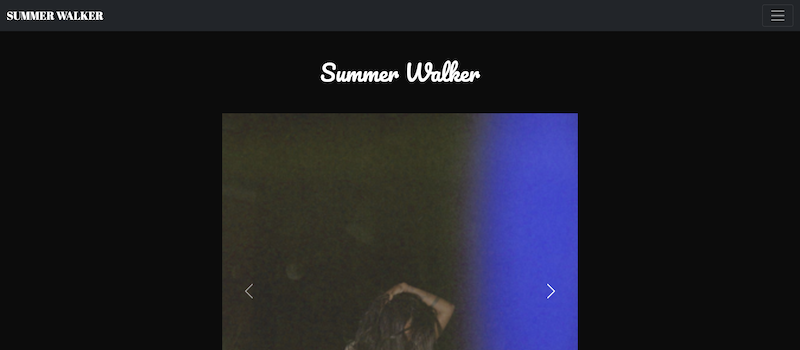
February 2022
Panel One: Bootstrap with Custom CSS
For me, the second project was a lot more fun (or at least, much less
stressful) than the first. All the HTML practice we've done so far has helped so much that it
now comes naturally to me. This meant that I was going to be able to do a lot more with this
project than I could for the first, which had me excited - especially since we'd be coding this
one with Bootstrap.
Panel One took me the longest amount of time of all three panels,
which makes sense since we're basically starting from scratch. Bootstrap definitely made the
coding process much faster. On my last project, it took me over three hours to perfect my
navbar. For panel one, it only took me about five minutes. Another thing I really liked was that
we got to use things like carousels and cards. I knew immediately that for this project I'd want
to use a carousel to display Summer Walker's albums, and it worked beautifully. It took some
time to be able to properly adjust the dimensions of the carousel but it ultimately came out
just as perfectly as I wanted it to. The cards also helped me layout the shorts about the albums
in a clean and organized manner. If I had more time, I would've evened the spacing out more, but
otherwise I think it looks pretty good.
...
Panel Two: Bootstrap Template without Custom CSS
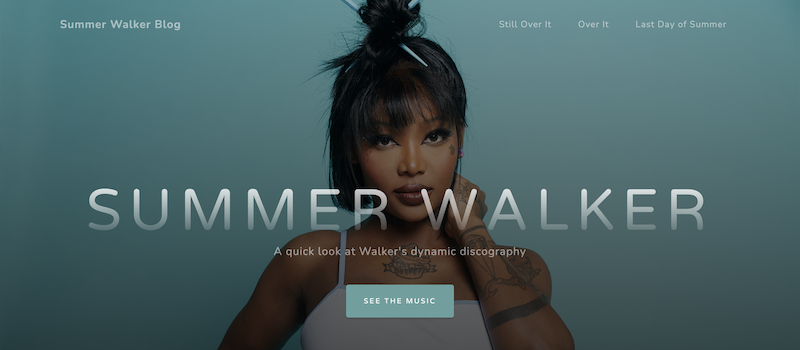
Panel Two took the shortest amount of time out of all the panels. For Panel Two, we had to use a pre-existing Bootstrap theme and plug in the elements from Panel One without altering its CSS code. It was a little frustrating not being able to alter the CSS, but in a sense it also made it more fun to see how much I could make the site my own without making CSS chages. I really loved how clean and minimal this theme was, and I really loved the way the creator organized the cards. The moment I saw the card layouts I immediately saw how I could implement the album covers from Panel One into it, which I loved. Panel Two was also refreshing because it made me think more carefully about how my site was made, not how it looked. I usually easily get carried away modifiying the visuals instead of the structural code, so this made me think more carefully about how I had everything layed out. For instance, using ID's to create links from one part of the page to another was something I've never done before, but I experimented with it and it worked really well. I made sure to carefully detail which part of the page the links go to when clicked on. For instance, the "see the music" and "Still Over It" buttons take you to a similar portion of the page, but latter takes you directly to the album cover, while the former scrolls slightly above it. It's a small detail, but I think UX-wise it works out better than if I had both buttons use the same ID.
...
Panel Three: Bootstrap Template with Custom CSS
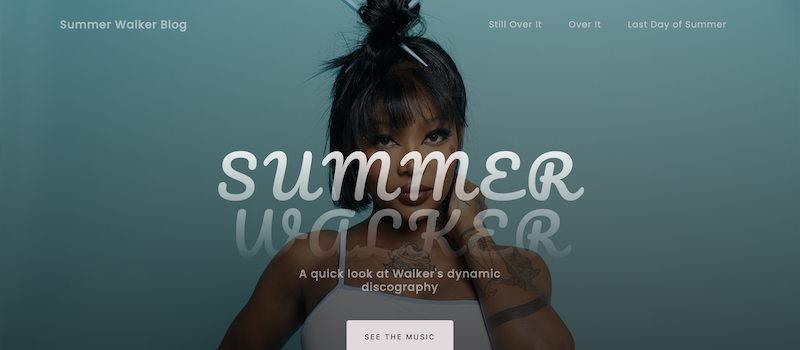
Panel Three was arguably the most fun panel to complete. It allowed me to use the best parts of Panel Two while allowing me to add the additional, special touches from CSS that made Panel One so unique. The main changes I made pertained to the fonts and colors of the body. It was interesting to see how they looked on a completely different layout but I think it worked out pretty well. Another change I made which I really liked was that the album covers increase in size when you hover over them. It's nothing crazy, but I think it's a cute, small detail.