Redesigning Athena
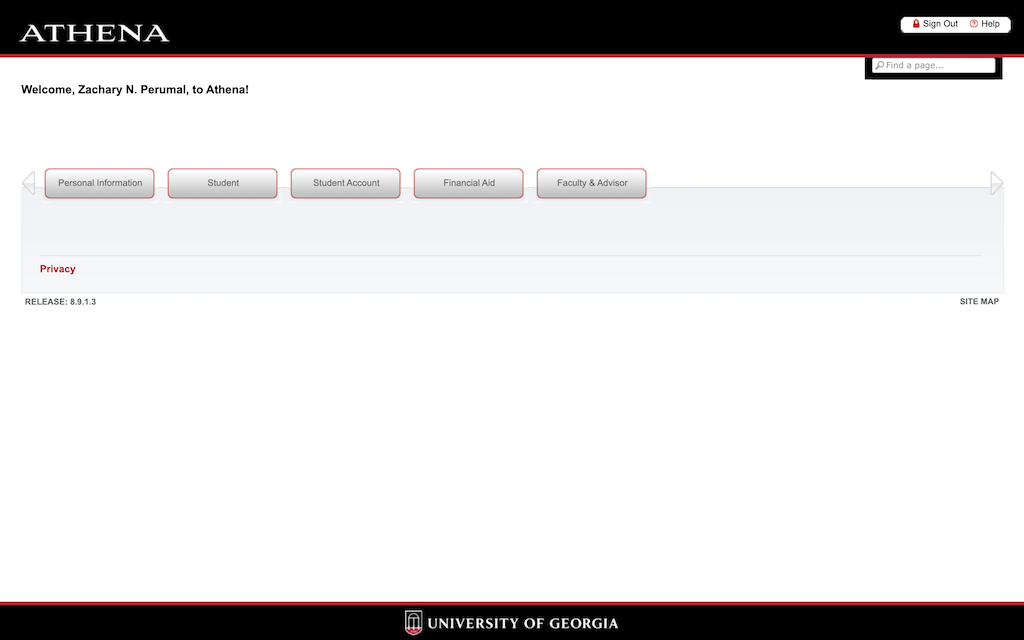
Original Design
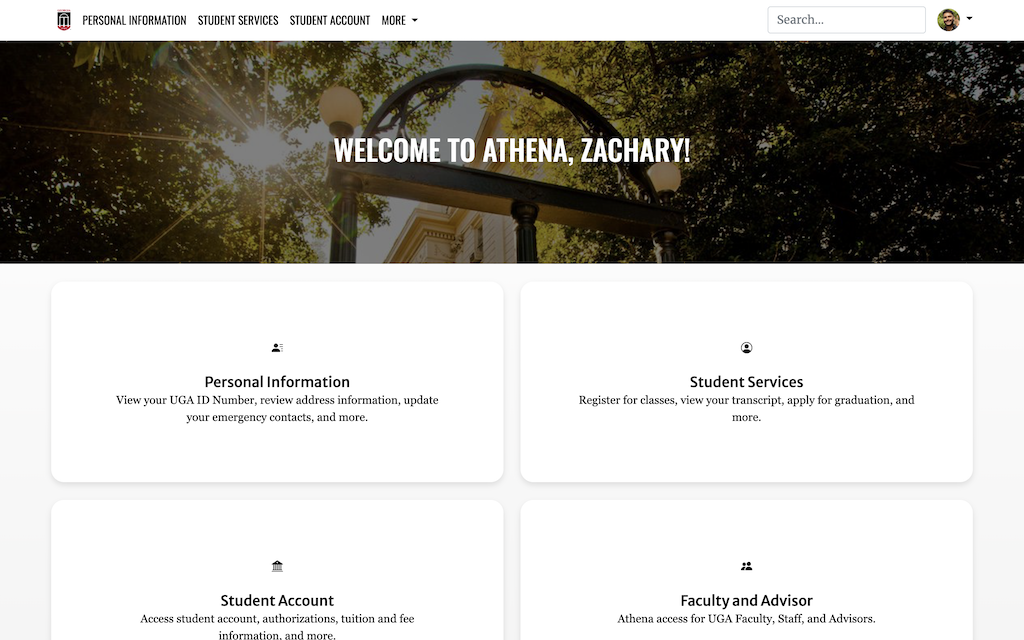
New Design
For my final project in Web Development, I decided to redesign Athena, which is UGA's
banner website. On Athena we can register for classes, view registration holds, check financial aid,
etc., - it's the go-to website for many UGA students whenever we need to check or fix something, and
unfortunately it also has a terrible design. Many students and faculty agree that it has a very outdated
and hard-to-navigate design, and I figured it would be a fun little challenge to see how I could
redesign it to make it more useful, easier to use, and more visually appealing.
For me, completing this final project really sums up how the website development process works: super
easy to say "Yeah, I'm just going to redesign Athena, should only take like two or three days since the
pages are simple," only for it to take weeks of disciplined coding, research, and troubleshooting to
make it come altogether. This is the most complex project I've ever had to do in my entire college
career thus far. Conceptually, it wasn't very difficult - I am confident in my HTML and CSS coding
abilities and, alongside Bootstrap components, I didn't think it would be that much work since I
wouldn't have to learn how to do much. That was partially true, but I severely underestimated how much
effort goes into the polish. Adding and adjusting all the small details that truly bring the website
altogether as well as making sure that the website is fundamentally working and easy to use. It may have
taken a lot of time but I'm very proud of the outcome.
The reason I opted to redesign a website using Bootstrap components instead of WordPress came down to
one primary reason: customizability. WordPress is very customizable, yes, but throughout my time using
it and building websites with it, I was never able to make it feel like something truly my own. It
would've been much easier to keep up with, but I know that I wouldn't have been satisfied with the
outcome. It had also been a while since I've practiced coding again and I really wanted to solidify my
skills so I wouldn't forget it over the summer. Using Bootstrap meant that every single element on the
page was handcrafted directly by me - it looked and acted exactly how I wanted it to, which is just what
I wanted.
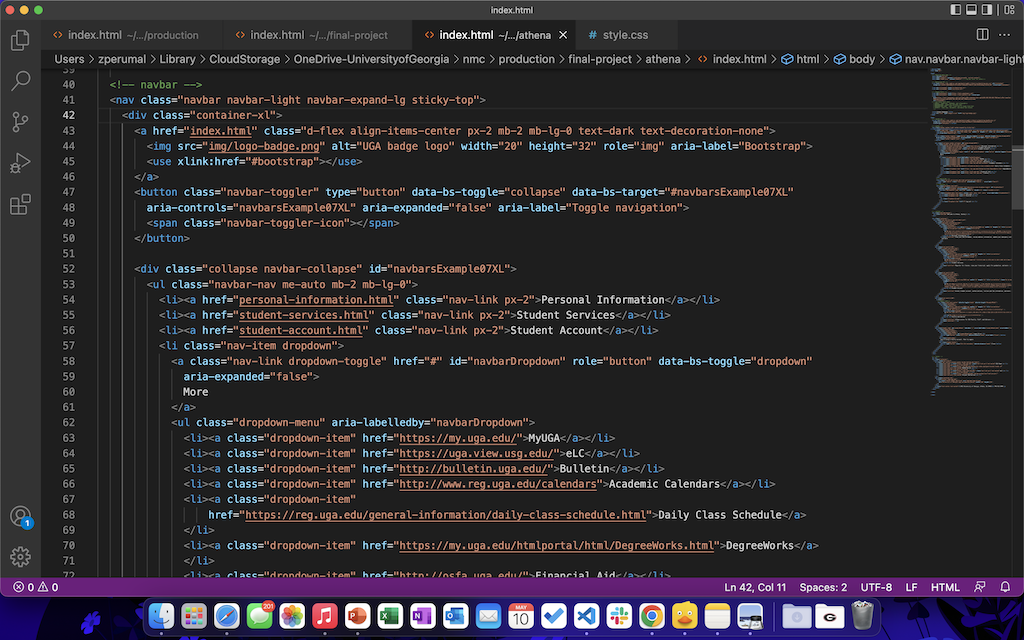
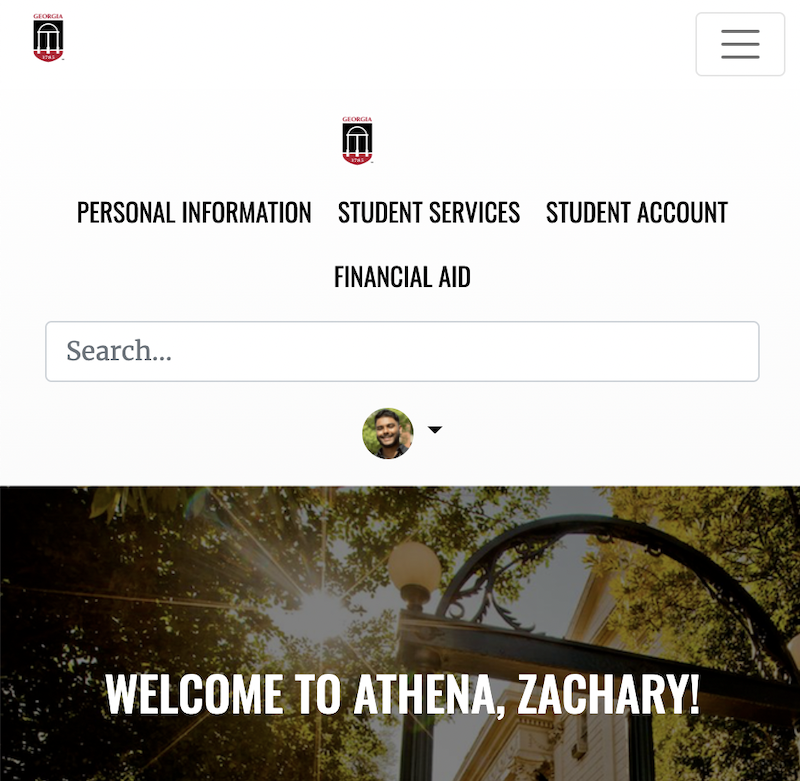
The only component that I completely replicated from a template was the Navbar, and I did this because
of Bootstrap's preset responsive container elements. I tried making my own but had multiple issues with
scaling and switching to a collapsed hamburger menu, so I used code from a template and then adjusted
the CSS code. This made it appear the same as the one I made but function properly like the Bootstrap
example.
Navbar code
Desktop Navbar
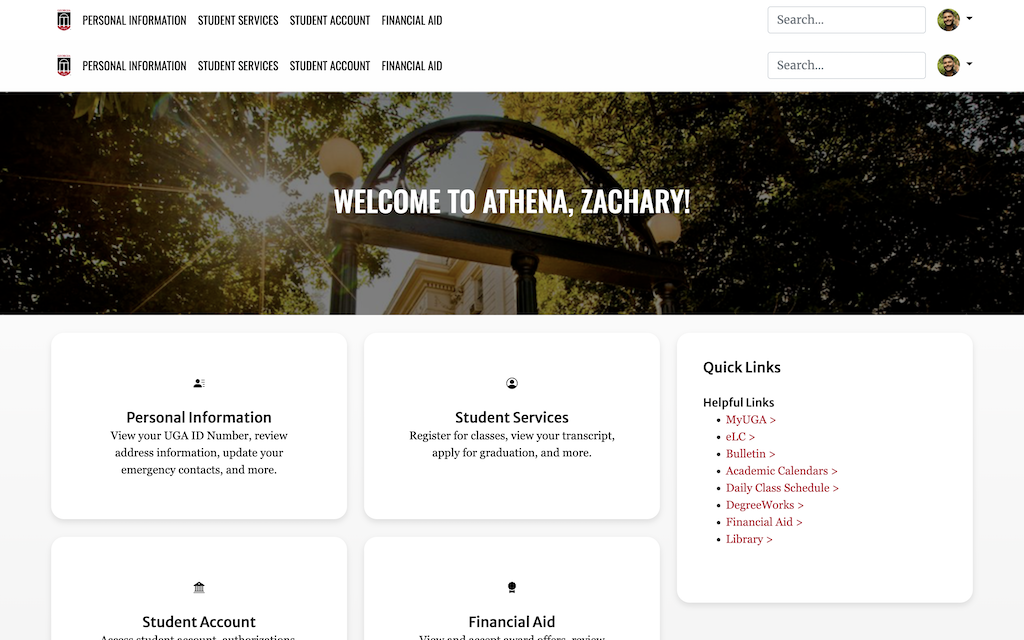
Top Navbar: Bootstrap Example; Bottom Navbar: Hand-made
Mobile Navbar
Top Navbar: Bootstrap Example; Bottom Navbar: Hand-made
The second biggest problem I had involved the padding around the cards on the homepage. The cards were visually smaller than the actual clickable area, which is a jarring UI/UX design error. The issue had to do with the way that I had previously written the code for the design of the cards, which used specific pixel widths for the cards instead of inheriting the size from the container (poor code, I know), but shoutout to John for helping me use the inspect element feature to fix this!
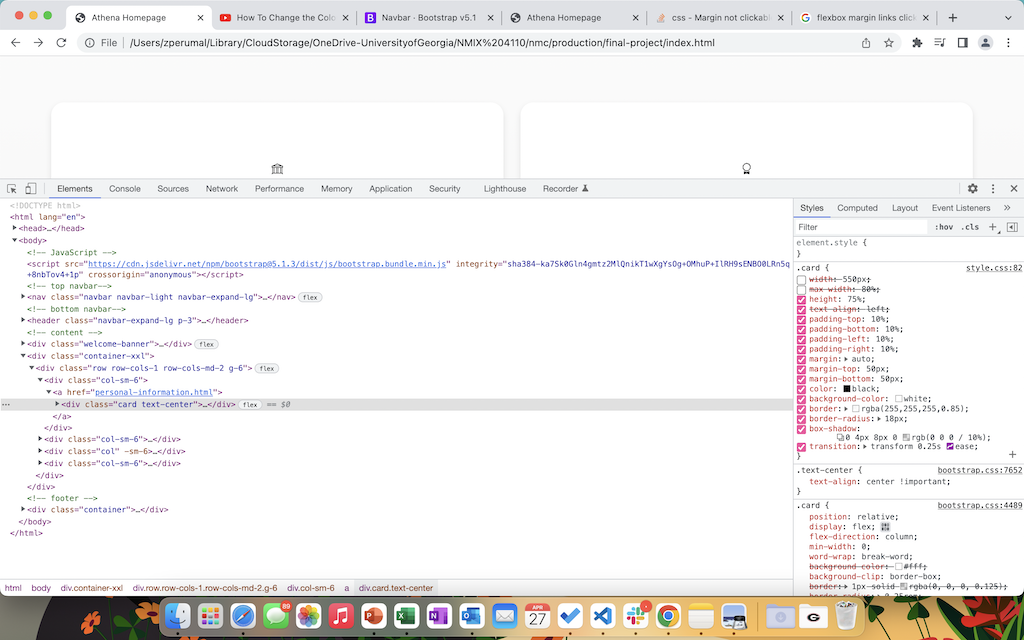
Inspect Element saves the day.
In addition to learning the solutions to those issues, I also learned more new things about HTML and CSS than I initially anticipated. One thing I really learned to love and appreciate are Pseudo-Classes. My roommate, who is a CS major, showed me how to use pseudo-classes before in earlier projects, but I never really got a firm grasp on them until now. Now that I fully understood it, I was able to use it to change things like the color of links or the size of the cards when I hover over them, which I think helps bring the site together.
Pseudo-Classes for links:
                a:link {

                 color: black;

                 text-decoration: none;

                }


                a:visited {

                 color: black;

                 text-decoration: none;

                }


                a:hover {

                 color: #BA0C2F;

                 text-decoration: none;

                }


                a:active {

                 color: black;

                 text-decoration: none;

                }
Code for adjusting the colors of specific links and card sizes:
                .page-card a {

                 color: #BA0C2F;

                }


                .page-card a:hover {

                 color: #337ab7;

                }


                .page-card:hover {

                 -webkit-transform:scale(1);

                 transform:scale(1);

                 background-color: white;

                 color: black;

                }
For this project I also ended up relying on inspect element a LOT. I used it on multiple different UGA websites to accurately understand how they code the style of their websites. For instance, the blue color of links when you hover them on the subpages are the same shade of blue as the links when you hover on the Registrar's site. This color wasn't listed on the style guide, where I got the majority of UGA's font and color information.
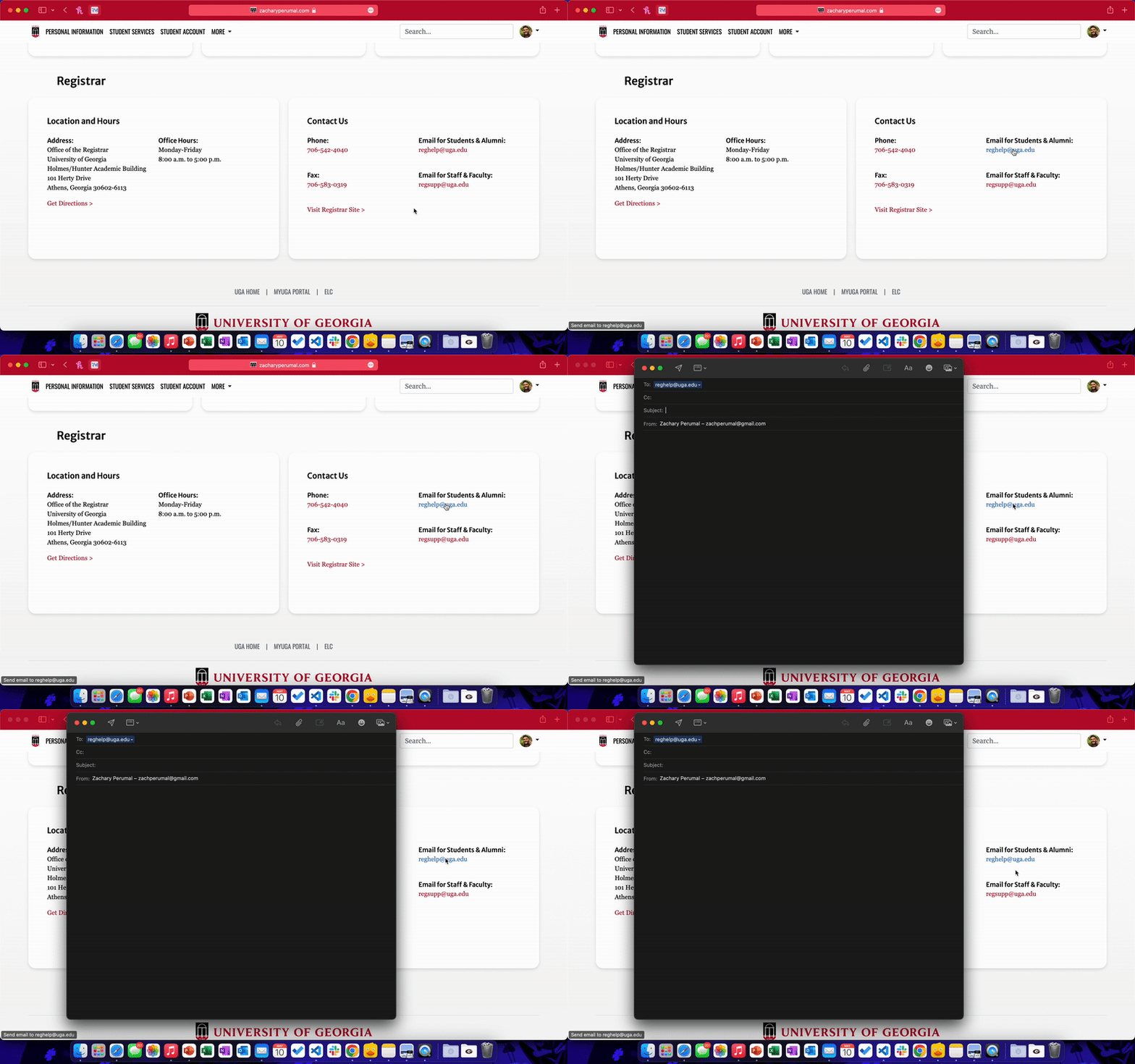
There are also a few other little things I learned. I learned how to code a Favicon, and I used the official UGA badge for that. I learned how to use
mail:to and tel: links to start an email
or a phone call. I added a modal to show the user a pop-up error when they try to access faculy pages. I
also learned how to use meta tags to change the broswer theme of the site. I don't think this
feature is supported in Chrome, but when viewing my site in Safari, the top bar changes to UGA's official
red color, which I think creates a more immersive experience.
Favicon:

Mailto:
Theme color:

Overall, this project was particularly challenging but also so, so much fun. I think it really helped to develop and solidify my HTML and CSS skills and helped me learn some more of the little things to ultimately round out my web development skillset.